Your workspace
Who can see what, how alerts reach you, referrals, and the record of what changed.
Everything above belongs to one workspace: your business. This is how you share it with your team without sharing everything.
Owners and staff
There are two roles. Owners run the workspace: billing, plans, the team, and anything that affects every agent at once. Staff work the conversations.
Staff are invited to one agent at a time, and that is the important part. Someone invited to one agent cannot see any of the others: which is what makes aiBalas workable for an agency running several clients side by side.
Owner-only pages are Library, everything under Reports (Analytics, Usage, Workspace logs), everything under Settings except Notifications (General, Team, Billing, Referrals, Integrations, AI provider, Developers), Posts, Schedules and Accounts under Marketing and Manage agents under Agents, plus Knowledge, Connect, Agent settings and Agent logs on each agent. Phone is open to everyone, but its setup pages (Extensions, Ring groups, Inbound routes, Trunks) are owner-only too. If you are staff and cannot find one of those, that is why, not a fault.
The console in your language
The console is in Bahasa Malaysia by default, with English behind the language button in the header. The choice is per person and remembered. The nouns that name a page (Chats, Knowledge, Connect, Settings) stay in English in both, because that is how people refer to them.
You can also sign in, and sign up, with a Google account instead of a password: the same workspace, with nothing to remember.
Analytics
Usage tells you how much of this month's allowance is left. Analytics tells you how it is going over time: messages received and answered, new contacts, hot leads and bookings, by day, over the last week, month or three months, and split by channel, plus how quickly your agent answers phone calls if you take them. Owners only, like Usage.
Being told when something needs you
aiBalas can reach you two ways when a customer asks for staff, a hot lead appears, a booking is made, or a message fails to send: a WhatsApp message, and an email.
Whatever an owner switches on, anyone can turn the emails off for themselves on the Notifications page. That choice is personal and does not affect the rest of the team.
The activity log
Logs record what changed and who changed it: settings edited, plans changed, channels connected or disconnected, deliveries that failed. It is the page to open when something looks different and nobody remembers touching it. Entries are kept for 90 days.
Referrals
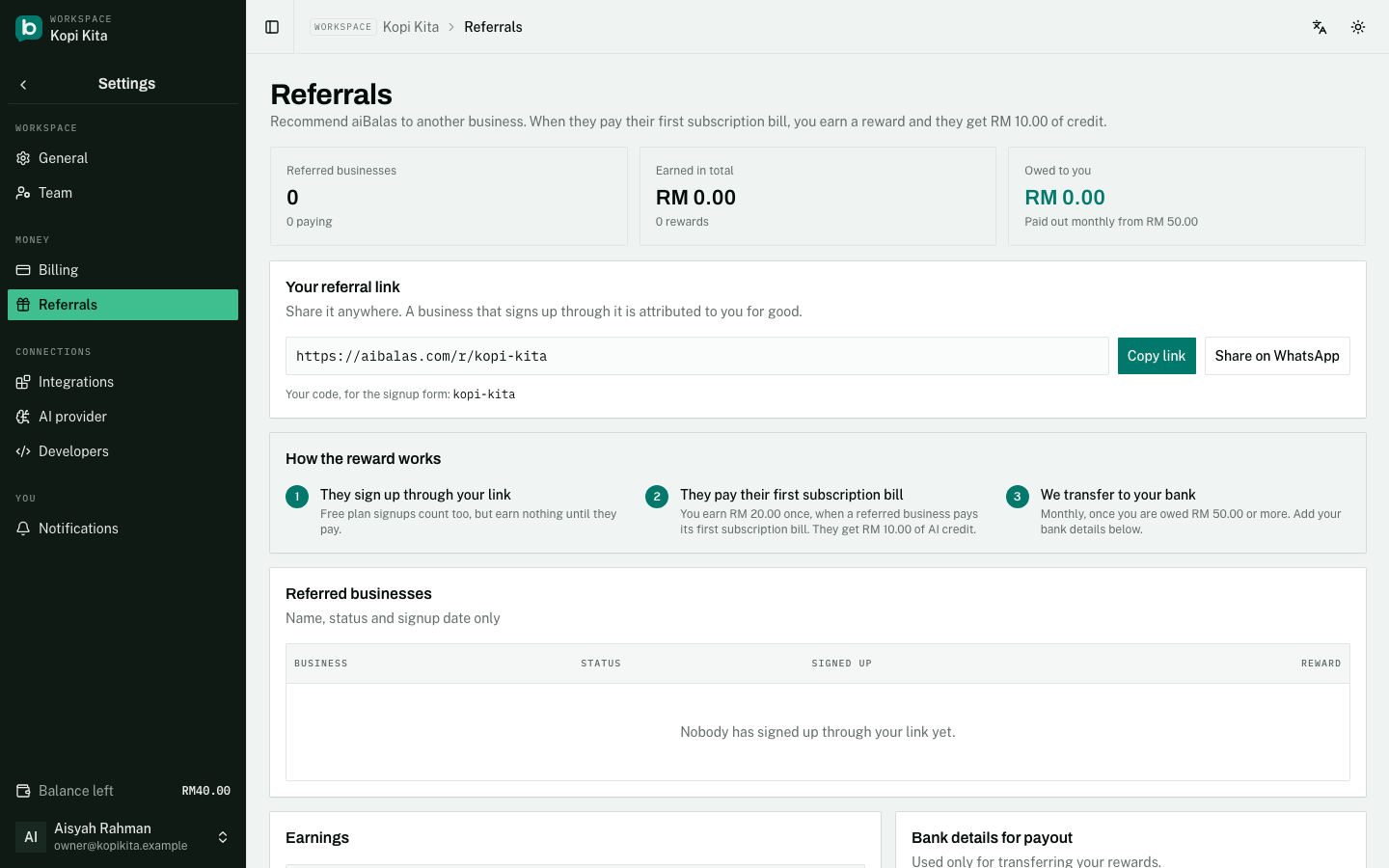
Referrals, under Settings (owners only), gives your workspace a link of its own, aibalas.com/r/ followed by your code. A business that signs up through it is attributed to you for good, free plan included. When it pays its first subscription bill you earn a reward (currently RM20, once) and it gets RM10 of AI credit. Top-ups, upgrades and charges for an extra agent or phone number earn nothing. Rewards are transferred to your bank each month once you are owed RM50 or more: add your bank details on the page. It also lists who signed up, their status and every reward.
Getting help
The Help page is where you reach us. Send a request there and it opens a thread we answer in; you are emailed each time we reply. It attaches your workspace name, plan and the list of your agents so we do not have to ask, and never your customers' conversations. Owners see every request on the workspace; staff see the ones they sent. The same page lists the direct WhatsApp and email routes to us.
Still stuck?
Work through the common problems first. If none of them matches, contact us: we can see things you cannot.
Signed in? Open Help in your console to send us a ticket. Sign in