Teaching your agent
Business facts, your own words, products, promotions: and the shared library.
An agent with nothing to read hands every conversation to you. This is the order that pays off soonest.
Step 1: Business facts
The agent's Knowledge page opens with a form: opening hours, address, how to reach you, the areas you cover, how customers pay, and your policies. Filling it in takes about ten minutes and is the single highest-value thing you can do: most everyday questions are answered straight from it.
Step 2: Knowledge in your own words
Below the form is a free-text box for everything the form does not cover: your services, the questions people always ask, what you do and do not sell. Write it the way you would explain it to a new employee on their first day. If it already exists on your website or in a document, import the page or upload the file: both land in the editor for you to tidy before you save.
Every save keeps a copy of your business facts and your write-up. "Earlier versions" at the bottom of the page lists them; Restore loads one back into the form for you to review, and nothing changes until you save again. So a bad edit is never lost work.
There is a size limit, and it depends on your plan. Free warns past 8,000 characters and stops at 10,000; the Agent plan warns past 32,000 and stops at 64,000. If you are near the limit, cut repetition before you cut facts.
Step 3: Products
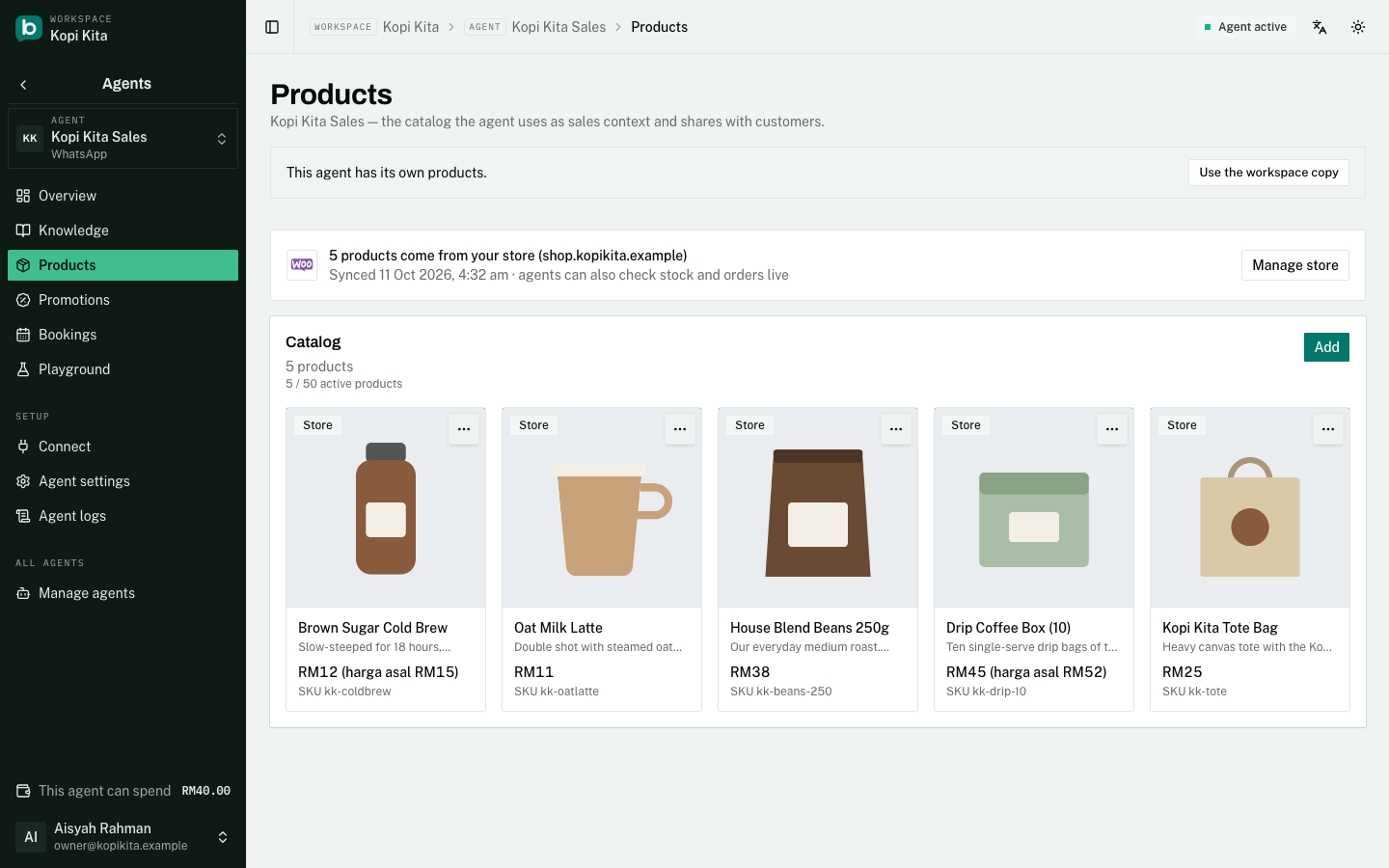
Products need the Agent plan (RM50 per agent per month). Each one is a row with a name, a description, a price and an optional photo: and when a customer asks about it, your agent can send that photo straight into the chat.
A catalogue holds up to 50 active products, and a description runs to 1,000 characters; a meter under each field shows the room left. Your agent reads every product in full on every reply, so write what a customer would actually ask about and leave out the rest.
If you sell from an online store already, connect it under Integrations and pick products from there instead of retyping them: they stay in sync with the store, and the agent can check live stock.
Step 4: Promotions
A promotion is an offer with a start date and an end date, and your agent only brings it up between those dates. You do not have to remember to switch it off. Promotions themselves work on every plan, including Free.
Step 5: The workspace Library
If you run more than one agent, the Library holds one shared copy of your knowledge, products, promotions, default settings and contact memory. Any agent can use the shared copy instead of keeping its own.
Two settings are never shared, even for an agent using the shared defaults: whether that agent is switched on, and the number its admin alerts go to. Both belong to one connection by nature: switching one agent off must never silence the rest.
Still stuck?
Work through the common problems first. If none of them matches, contact us: we can see things you cannot.
Signed in? Open Help in your console to send us a ticket. Sign in