Contents
Integrations
Your online store, and Google Calendar and Sheets: what connects, what flows where, and what stays yours.
Integrations connect your agent to things you already run. They need a paid plan, and a workspace owner sets them up.
Online store
Connect a WooCommerce store from the workspace Integrations page with a read-only REST API key (in WooCommerce: Settings, Advanced, REST API, with Read permission). Then pick which store products your agent should sell. They appear in Products with the store's own name, description, price and photo, and stay in sync every hour. Shopify follows once Shopify approves the aiBalas app.
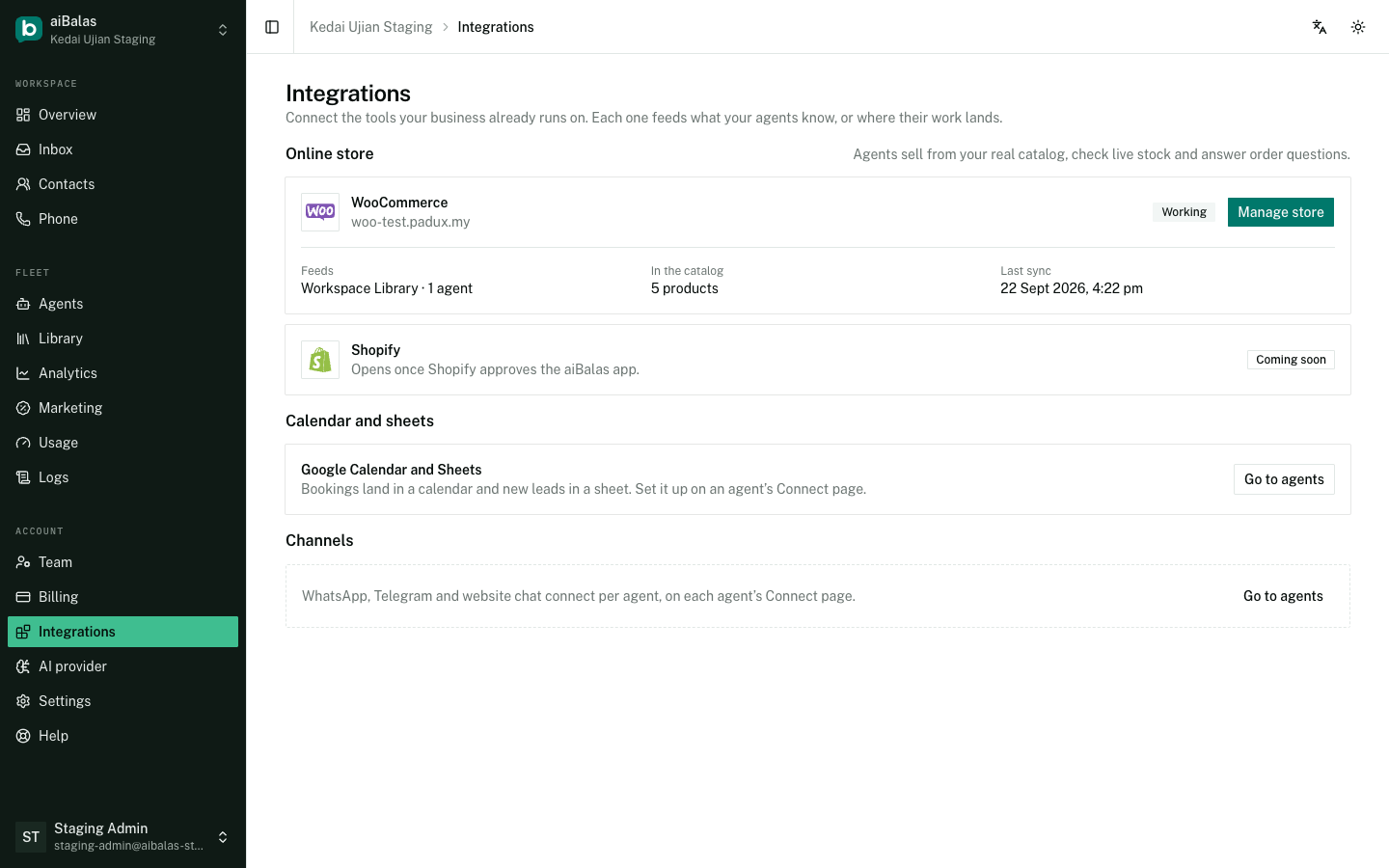
- Picked products are read-only in aiBalas: change a name or a price in your store and it follows. The sort order stays yours.
- Stock and price are checked live when a customer asks, including for products you did not pick.
- Order status: a customer can ask about an order by its number. The agent answers only when the phone number or email they are writing from matches the order; otherwise it hands over to you rather than guess.
- Disconnecting keeps the picked products and makes them editable again. The agent just stops checking stock and orders.
Google Calendar and Sheets
From an agent's Connect page, connect a Google account and every confirmed booking is added to a calendar aiBalas creates for you, and every booking and lead is appended to a Google Sheet. Cancelling a booking removes the calendar event; the sheet row stays as a record.
Still stuck?
Work through the common problems first. If none of them matches, contact us: we can see things you cannot.
Signed in? Open Help in your console to send us a ticket. Sign in